


Understanding Tags
Tags allow you to categorize your leads based on a specific criterion or qualification.
In particular, you can use them to distinguish between leads within the same module and easily find them using filters.
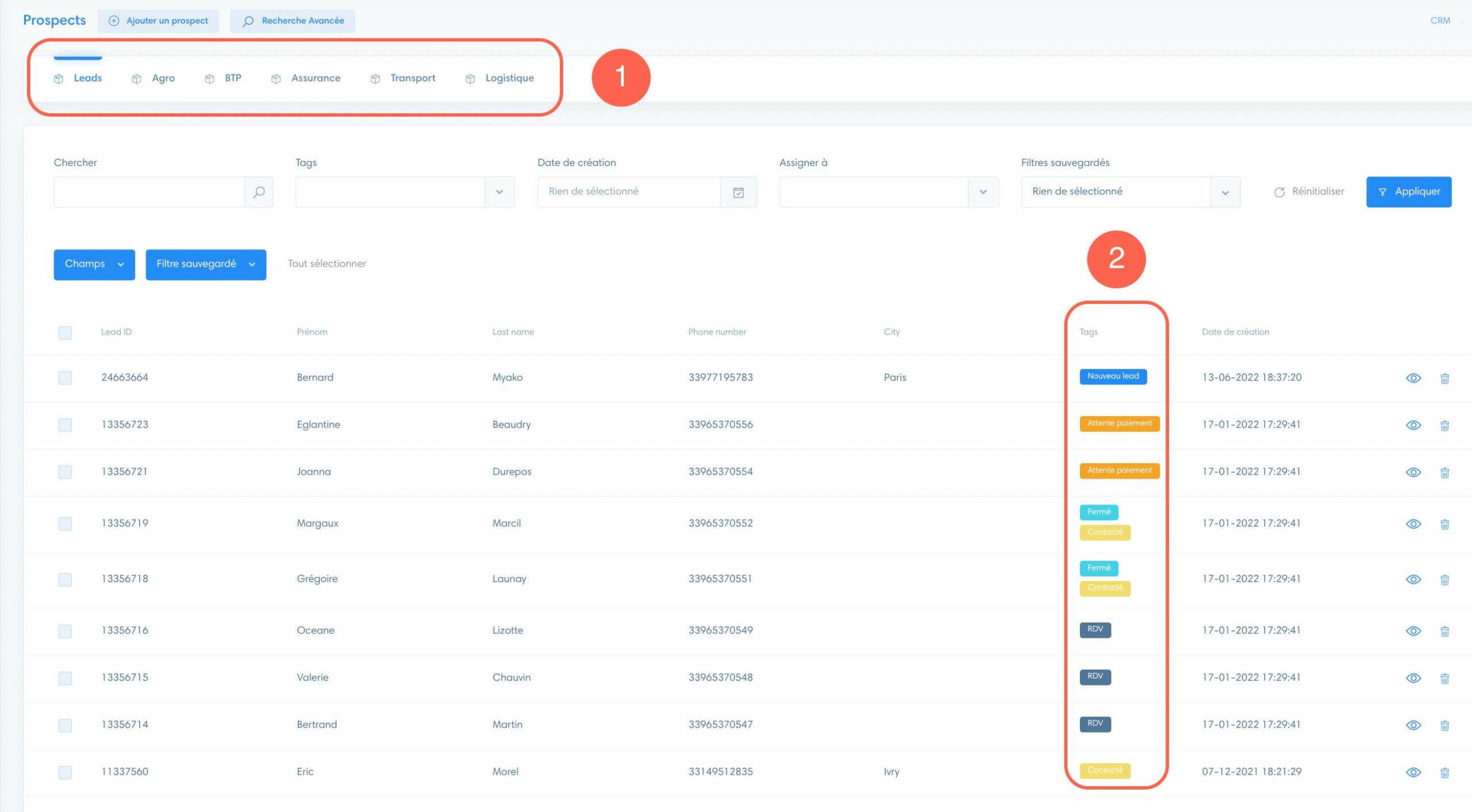
For example, if you have (1) modules organized by business sector, you can add (2) tags to distinguish the prospect’s status within the modules.
Create tags
Go to “Settings” in the CRM.

Once you’re in the settings, go to the “Tags” section.

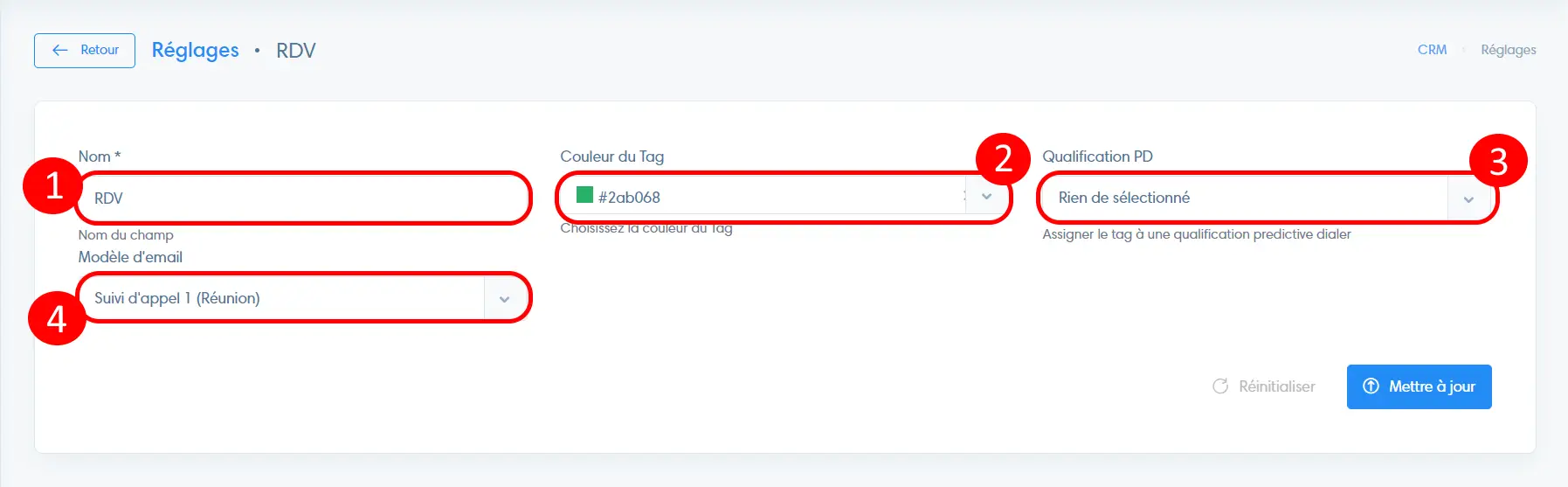
Once you’re in the “Tags” section, click “Add a tag,” then:
- Enter the name
- Select the color to be used when the tag is displayed in the interface
- Map the tag to a predictive dialer qualification if you are using one
- Determine whether and which email template to send when applying a tag to the prospect
Note
To learn how to add tags to leads, see the article in the Leads section.
