Each server has one or more administrator and supervisor accounts.
You can monitor agents in real time, listen in on calls, provide prompts, join the conversation, or listen to recordings.
Monitoring
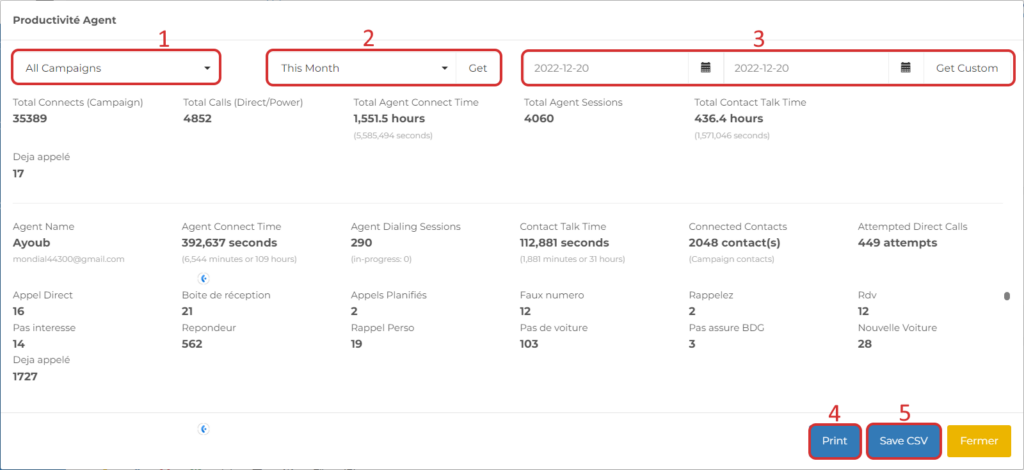
To access the agent monitor, click “Monitoring” in the menu on the left.
Agents
- List of numbers currently on a call
- Agent names
- Name of the campaign the agent is logged into
- Phone number of the contact connected to the agent
- Agent Status
– On hold: waiting for a contact
– On call: Connected with the contact
– Qualifying: Currently qualifying
– Offline: Disconnected from the campaign
– – Agent disconnected from the dialer - Duration of Current Status
- Click to listen in quietly during a live call or via the webphone:
– Click 1 to speak with the contact
– Click 2 to coach the agent
– Click 3 to set up a three-way conference call.
Recorded Calls
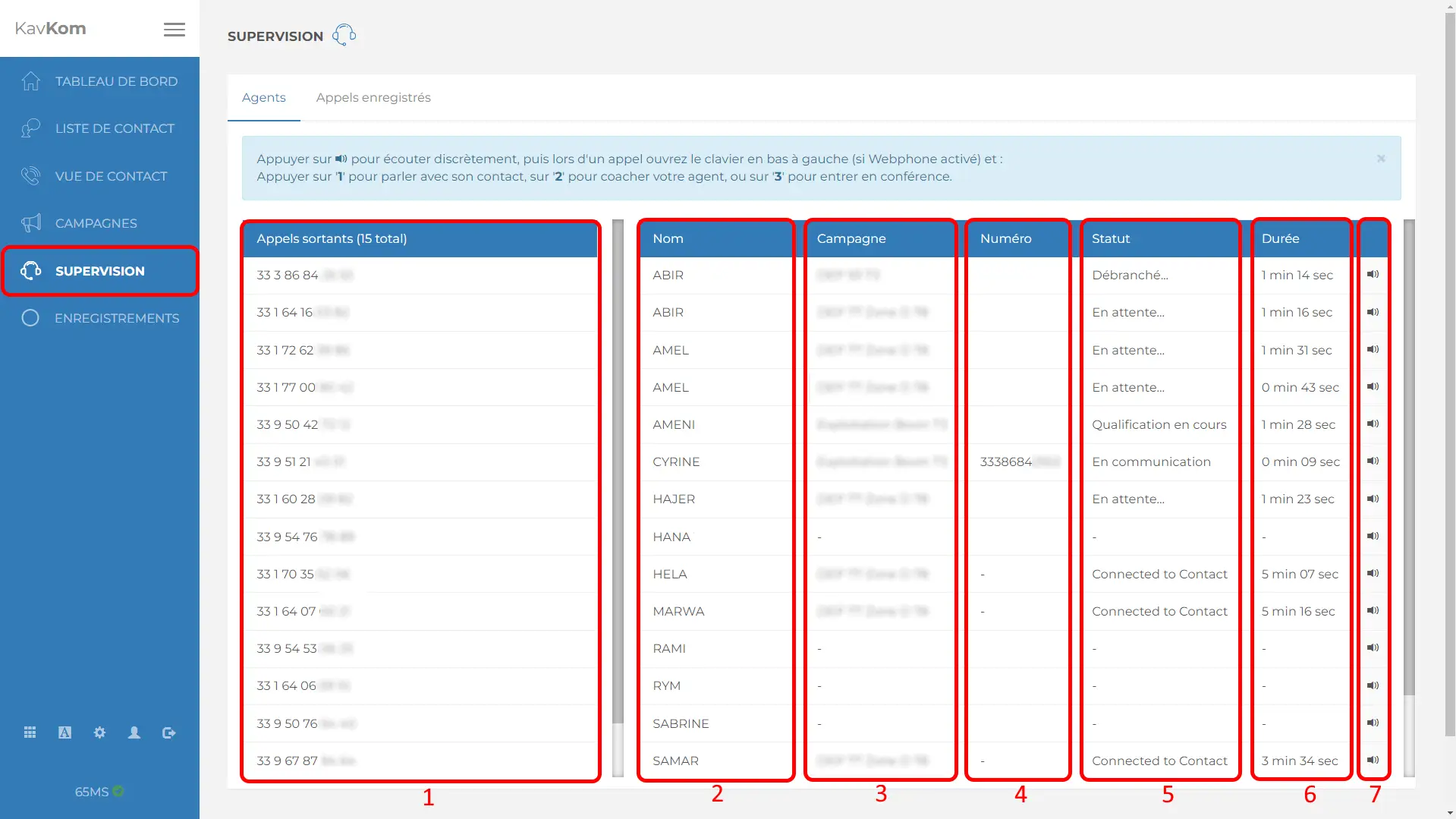
- Refresh / Display the list of records
- View contact details
- Download the record
- Delete records
Agent Productivity
With this feature, you can view the number of sessions, an agent’s online time, the number of connected contacts, conversation duration, the number of direct calls, and the qualifications completed.
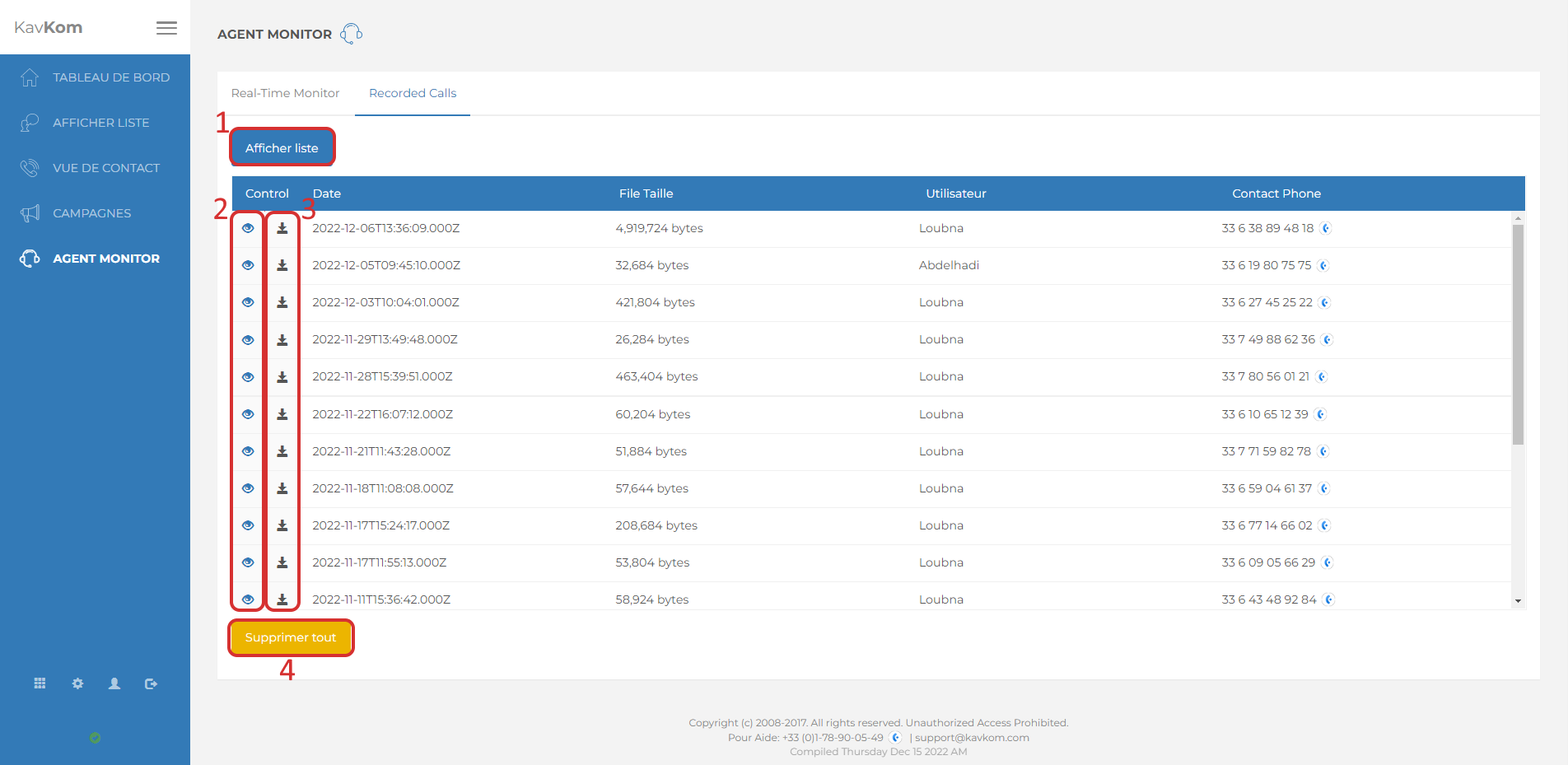
- Click the administrator icon.
- Then click the “View Agent Productivity” button.
A window opens.
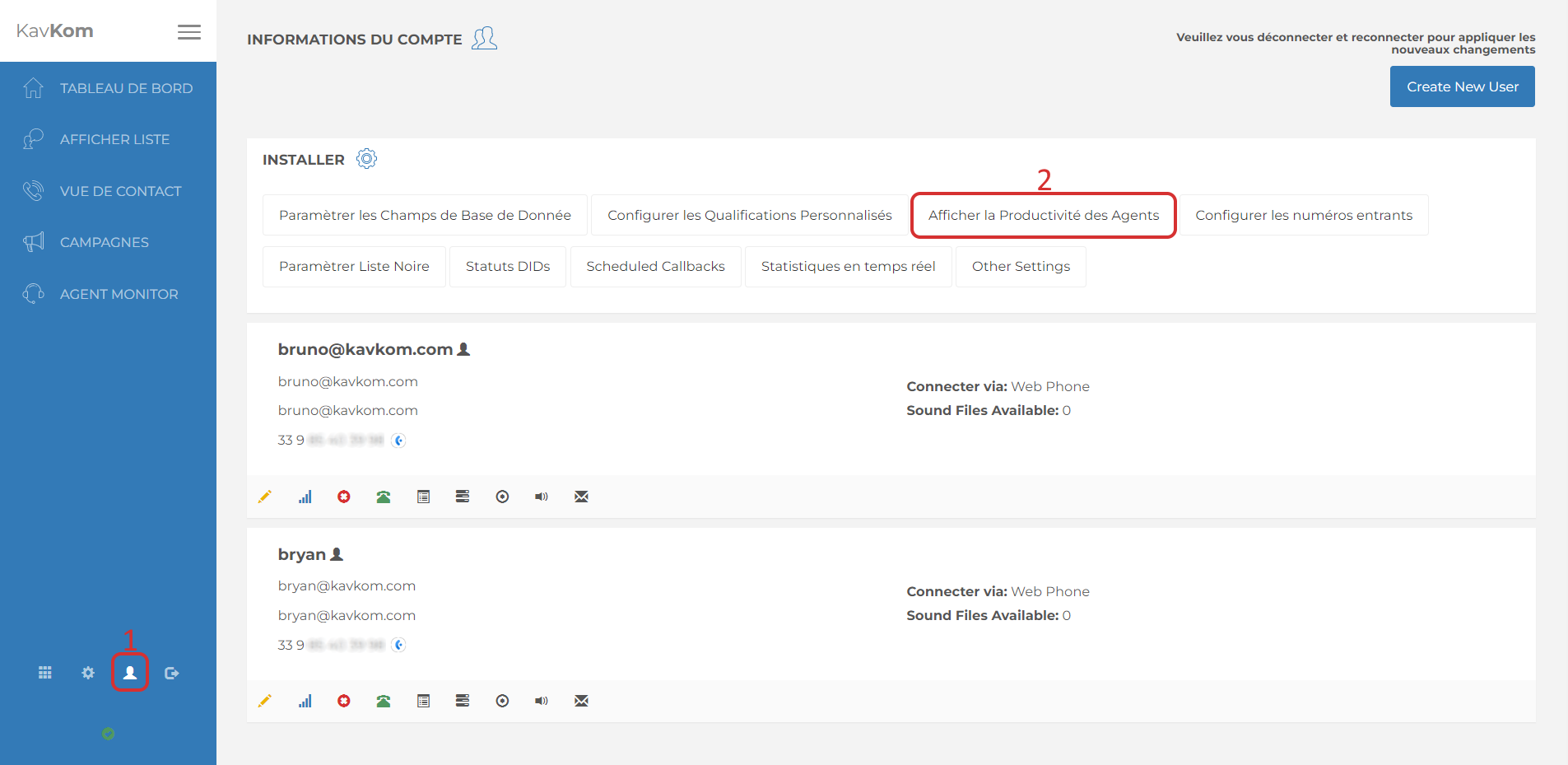
- Option to select a campaign.
- Select a specific time period, then click the “Get” button
- Or select any period you like and click “Get Custom”.
- You can print the report by clicking the “Print” button
- Or download it by clicking “Save CSV”.