



The Kavom Predictive Dialer allows you to block calls to a contact. This ensures that no calls can be made to that number. This feature is essential, for example, when you want to ensure that none of your employees can call a customer back, or when a contact has indicated that they no longer wish to be contacted.
Note:
Users also have the option to block phone numbers by marking them as “Do Not Call.”
Access the option
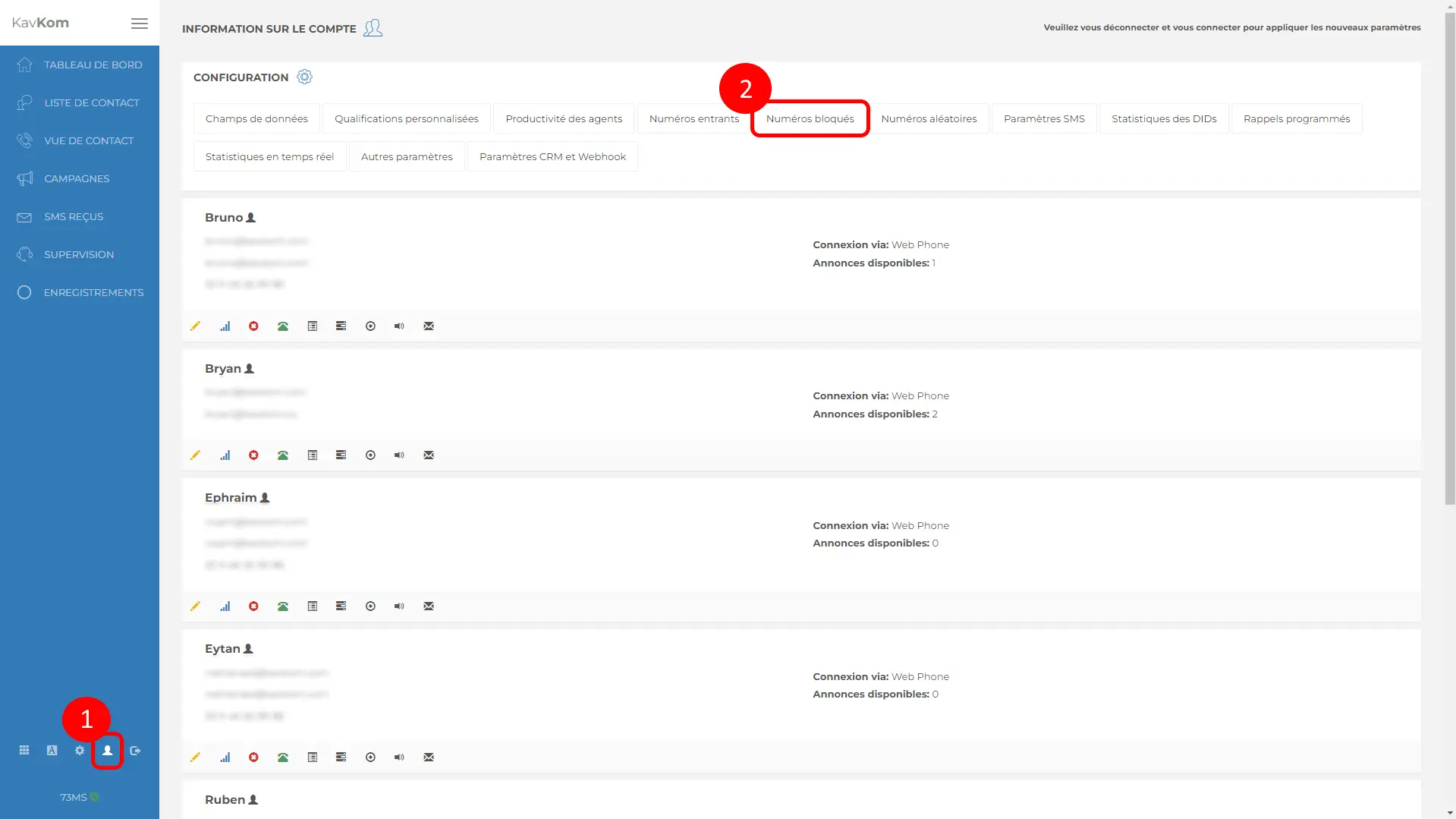
- Go to the admin area by clicking the “profile” icon in the navigation bar at the bottom left.
- Then click on “Blocked Numbers.” A pop-up window will open.
Add numbers to block
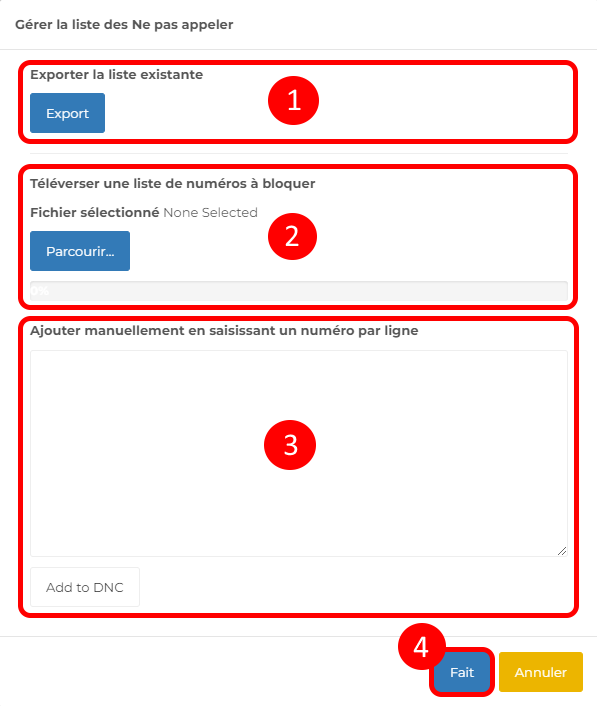
- Export the list of currently blocked numbers
- Add a list of numbers to block by uploading a CSV file
- Manually enter one or more numbers to block. To do this, enter one number per line in the format 33601020304 and click “Add.”
- Finish by clicking “Done.”
Unblock Numbers
To remove phone numbers from the block list, simply submit a request to our technical support team by contacting them Monday through Saturday from 8:00 a.m. to 7:00 p.m.
